Rotate Rings Level 120 Walkthrough
IntermediateRotate Rings Level 120 is rated Intermediate difficulty. The video below is the walkthrough recording used for this board.
Founder & Editorial Team
Video + board measurements
Level board
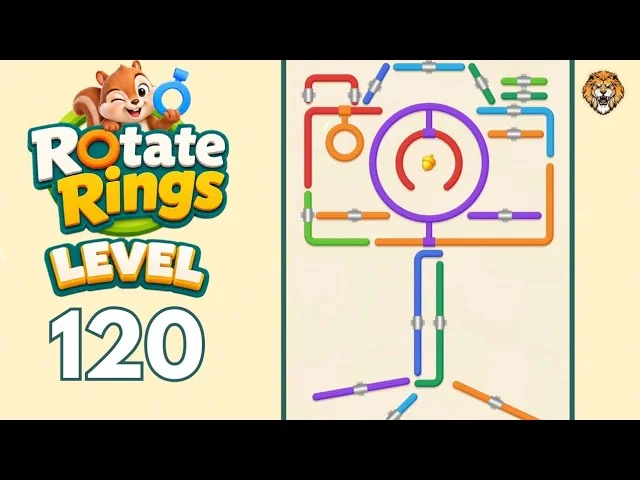
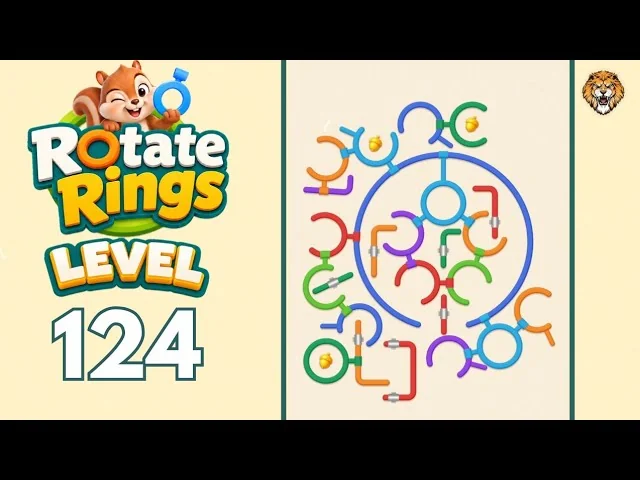
Level 120 board at a glance
Measured from the board image on this page, Level 120 shows 2 ring-shaped pieces: 0 open rings with a gap and 2 closed circles. Pieces cover 21.9% of the play area. The largest colour share is orange at 19.3% of the coloured piece pixels.
| Ring | Position | Size | Type |
|---|---|---|---|
| Orange | to the upper left | Small | Closed circle, never turns |
| Purple | above it | Large | Closed circle, never turns |
Colour coverage
- Orange 19.3%
- Purple 16.8%
- Red 12.1%
- Light blue 5.4%
- Dark green 5.1%
- Blue 4.5%
- Light green 3.9%
Percentages are shares of the coloured piece pixels, not of the whole image.
Read from the board image on this page, last measured 2026-10-21. These measurements describe the visible pieces; they do not claim clamp ownership or a solve order. Each ring's clamp is owned by a neighbouring ring, and a held ring comes free as soon as its gap reaches that clamp. Start with the outer rings that hold nobody, then work inward layer by layer.
How to read the Level 120 board
Start with the pieces that hold nothing
A piece that does not hold another piece can move without disturbing a connector someone else still needs. Clear those outer pieces first, then work inward one connection at a time.
2 ring-shaped pieces on this board
Measured from the board image on this page, the play area contains 2 ring-shaped pieces. 2 are closed circles with no opening, so they only hold other pieces and never turn themselves.
The board uses 7 colours
The measured palette runs to 7 colours: orange, purple, red, light blue, dark green, blue and light green. When two pieces look alike, use their position and the connector they touch to tell them apart.
More intermediate walkthroughs
View all →
Featured walkthroughs
The levels players search for most - each with a full video guide.